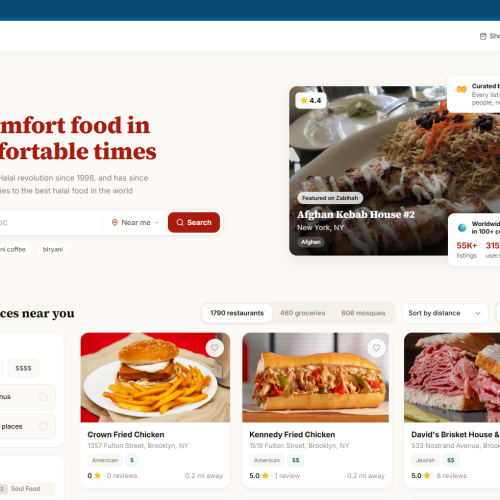
AI Agent Engineering
AI Agents That Connect Knowledge, Tools, and Workflows
AI agent engineering brings together language models, business knowledge, and software integrations to help teams handle defined tasks. This solution area covers customer support assistants, internal knowledge tools, document processing, and workflow automation.
Designing a Useful Agent
A practical starting point is a clear task, approved data sources, and a defined set of tools. The design should specify which actions the agent can take, when a person must review a result, and how errors are handled.
Integration and Evaluation
Connect the agent to the systems needed for its task, test representative scenarios, and review output quality before expanding its role. Access controls, monitoring, and human oversight belong in the delivery plan.
- client: AI Agents
- Location: Workflow Automation
- Surface Area: Business Tools and Knowledge
- Architect: Defined Tasks and Human Review
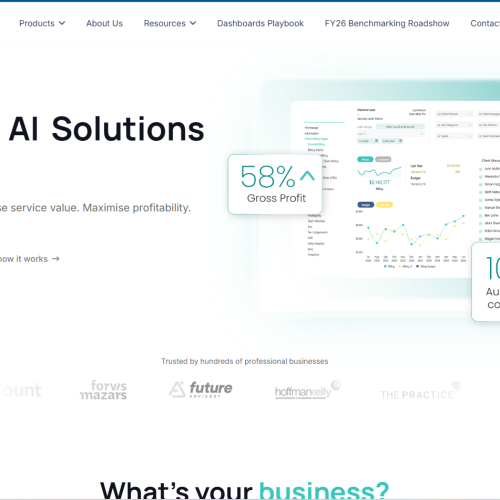
FinTech Solutions
Financial Workflows and Reporting in One Connected Experience
FinTech solutions help teams organize financial information, guide users through transactions, and monitor business activity. This solution area focuses on clear workflows, useful reporting, and integrations with the systems a business already uses.
Workflow and Interface Design
Define the users, approval steps, and information needed at each stage. Clear dashboards, searchable records, and accessible interfaces can make complex financial processes easier to navigate.
Controls and Integration
Project planning should address role-based access, validation, audit trails, and data handling. Payment or accounting integrations require careful testing and agreement on the applicable business and compliance requirements.
- client: Financial Software
- Location: Workflows and Reporting
- Surface Area: Business and Accounting Systems
- Architect: Clear Roles and Approval Steps
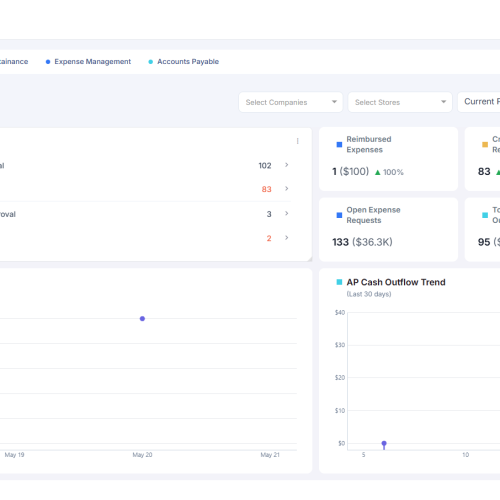
AI Restaurant and Ordering System
A Clearer Digital Ordering Experience
A restaurant ordering solution brings menus, customer choices, and order handling into a connected workflow. This solution area explores how web interfaces and AI assistance can help customers find information and help staff manage requests.
Ordering and Operations
Plan menu browsing, item options, order confirmation, and staff visibility around the restaurant’s actual process. Availability, pricing, payment, and fulfilment rules should come from approved business data.
AI Assistance With Clear Boundaries
An assistant can help answer menu questions or guide a customer through an order. The system should confirm important details, handle uncertain requests, and provide a clear route to staff when assistance is needed.
- client: Restaurant Ordering
- Location: Customer and Staff Workflows
- Surface Area: Menus, Orders, and Business Tools
- Architect: Requirements, Design, and Review

Digital Growth Strategies
A Practical Plan for Digital Business Growth
Digital growth starts with understanding how customers discover a business, evaluate its services, and make an enquiry. This solution area connects website improvements, useful content, analytics, and operational workflows around clear business goals.
Identify the Right Improvements
Review the customer journey, important pages, conversion steps, and the systems supporting them. Prioritize changes according to user needs, available evidence, effort, and the outcomes the business wants to measure.
Measure and Refine
Define meaningful indicators, establish a baseline, and review the effect of each change. A measured approach supports better decisions about content, usability, automation, and future investment.
- client: Digital Growth
- Location: Customer Journeys and Measurement
- Surface Area: Websites, Analytics, and Workflows
- Architect: Requirements, Design, and Review

Platform Integration
Connect Your Systems Into a Coherent Workflow
Platform integration helps business applications exchange information and support connected processes. This solution area covers API connections, data synchronization, workflow automation, and interfaces between internal and customer-facing tools.
Plan Data and Responsibilities
Define the source of truth, data formats, access permissions, and events that trigger each exchange. Clear ownership and validation rules help reduce duplicate entry and inconsistent records.
Build for Reliable Operations
Include error handling, retries, logging, and monitoring in the integration plan. Test normal and exceptional scenarios so the team can understand failures and maintain the connection as systems change.
- client: System Integration
- Location: Connected Business Workflows
- Surface Area: APIs, Applications, and Data
- Architect: Requirements, Design, and Review

User Interface and Experience Design
Interfaces Designed Around Real User Tasks
Interface design turns product requirements into screens people can understand and use. This solution area focuses on navigation, user journeys, forms, dashboards, and responsive layouts for websites and business applications.
From User Journey to Prototype
Map the main tasks, organize information, and explore layouts through wireframes and prototypes. Reviewing these early helps clarify requirements before development and makes important interaction decisions visible.
Consistency Across the Experience
Use clear labels, predictable controls, accessible patterns, and reusable components. Design reviews should consider different screen sizes, validation, loading states, and the steps users take when something goes wrong.
- client: UX/UI Design
- Location: Usability and Clear Navigation
- Surface Area: Websites, Apps, and Dashboards
- Architect: Requirements, Design, and Review